
Artificial intelligence has rapidly transformed the way businesses create video content. What once required a full production team, expensive software, and days of editing can now be accomplished in hours—or even minutes—with the help of AI video generator tools. For organizations focused on producing high-quality ads, product demos, and tutorials, these tools offer a streamlined, cost-effective solution while maintaining professional results.
TLDR: AI video generator tools are reshaping how businesses produce ads, demos, and tutorials by automating scripting, voiceovers, editing, and animation. This article reviews four leading platforms—Synthesia, Pictory, Runway, and InVideo—highlighting their strengths and ideal use cases. Each tool offers unique advantages depending on whether your priority is AI avatars, text-to-video simplicity, advanced editing, or ready-made marketing templates. A comparison chart at the end helps you quickly evaluate which platform best fits your needs.
Below is a detailed look at four credible and widely adopted AI video generator tools that stand out for professional applications.
Table of Contents
1. Synthesia
Synthesia is one of the most established AI video platforms specializing in AI-generated avatars and voiceovers. It is particularly well-suited for corporate training, product demonstrations, onboarding videos, and international marketing content.
Key Strengths:
- AI Avatars: Choose from a wide range of realistic digital presenters.
- Multilingual Support: Generate content in over 120 languages and accents.
- Script-to-Video Automation: Simply paste your script and generate a complete video.
- Custom Avatars: Businesses can create branded avatars for consistent messaging.
Best for Ads, Demos, and Tutorials
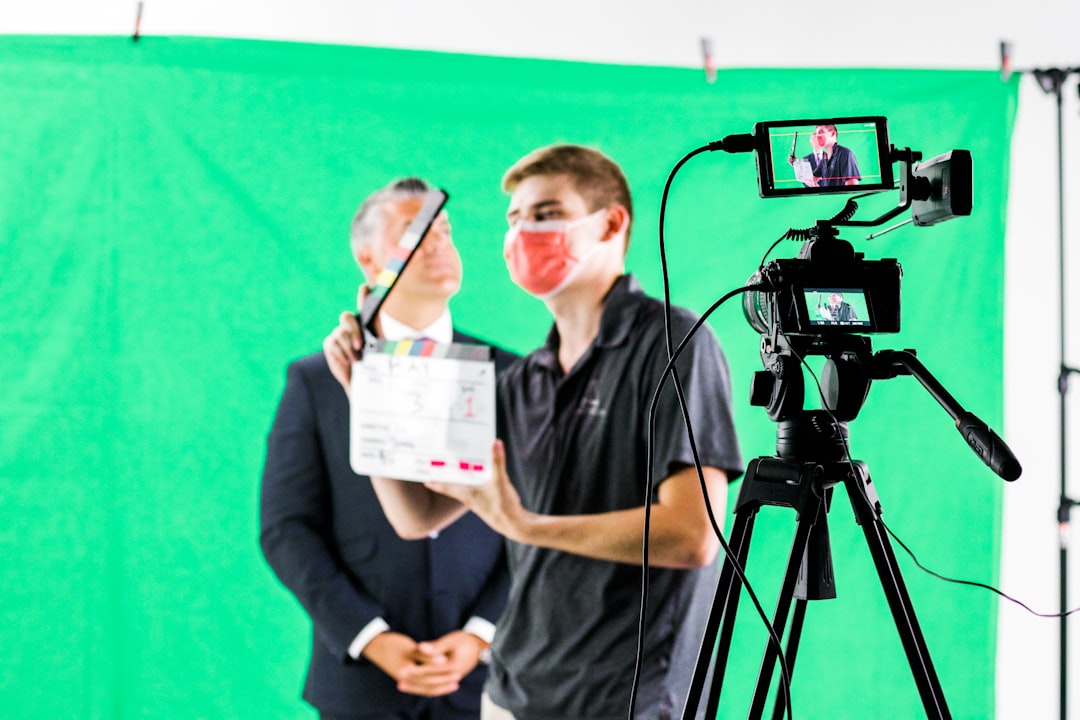
For product demos and training tutorials, Synthesia excels because it removes the need for on-camera talent. Marketing teams can rapidly experiment with ad variations across multiple languages, making it particularly useful for global campaigns. The platform also allows for slide and screen integration, which enhances software walkthroughs and explainer videos.
Limitations: While highly efficient for presenter-led content, Synthesia is less focused on cinematic editing or complex animation effects. Businesses seeking highly stylized advertising may require supplementary editing tools.
2. Pictory
Pictory focuses on transforming text-based content into engaging videos. Its strength lies in turning blog posts, scripts, or article summaries into dynamic visual presentations with automatic scene selection and captions.
Key Strengths:
- Text-to-Video Conversion: Quickly convert long-form content into short marketing clips.
- Automatic Captioning: Ideal for social media platforms where silent viewing dominates.
- Stock Media Integration: Extensive built-in library of video clips and images.
- Highlight Extraction: Automatically pulls key statements from webinars or podcasts.
Best for Ads, Demos, and Tutorials
Pictory is particularly valuable for content repurposing. Businesses that publish blog posts or host webinars can quickly turn written and long-form video content into short promotional ads or tutorial clips. For product demos, it works well when the focus is narrative-driven, supported by stock visuals rather than on-screen presenters.
Limitations: Unlike Synthesia, Pictory does not specialize in AI avatars. It also offers less granular control over complex animations and transitions compared to advanced video editors.
3. Runway
Runway represents a more advanced category of AI-powered creative tools. Designed for creators who want a high level of control, it offers AI-assisted editing, background removal, generative video tools, and motion tracking.
Key Strengths:
- AI Video Editing: Remove backgrounds and objects without complex manual masking.
- Text-to-Video Generation: Generate stylized video clips from descriptions.
- Motion Tracking and Effects: Add professional-quality effects with AI assistance.
- Creative Flexibility: Suitable for marketers and creative agencies.
Best for Ads, Demos, and Tutorials
Runway shines in advertising environments where visual differentiation is critical. Agencies producing visually striking promotional videos or branded storytelling content will appreciate its advanced generative features. For product demos, Runway can enhance screen recordings with stylistic overlays and cinematic touches that elevate standard tutorial formats.
Limitations: Runway’s capabilities may be more than what a small business requires for basic instructional videos. There is also a steeper learning curve compared to template-based tools.
4. InVideo
InVideo balances ease of use with flexibility. It offers a wide collection of templates designed specifically for marketing campaigns, YouTube content, product demos, and social media advertising.
Key Strengths:
- Extensive Template Library: Thousands of pre-designed formats.
- AI Script Assistance: Generate scripts directly inside the platform.
- Brand Customization: Easily apply logos, brand colors, and fonts.
- User-Friendly Interface: Suitable for non-technical marketers.
Best for Ads, Demos, and Tutorials
InVideo is ideal for companies producing regular promotional campaigns. Its structured templates allow teams to create consistent advertisement formats quickly. For tutorials and demos, especially on platforms like YouTube or LinkedIn, InVideo provides intuitive scene transitions and clear instructional overlays.
Limitations: While flexible, it does not offer the same depth of AI avatar realism as Synthesia or the cutting-edge generative experimentation found in Runway.
Comparison Chart
| Feature | Synthesia | Pictory | Runway | InVideo |
|---|---|---|---|---|
| Primary Strength | AI avatars and multilingual videos | Text to video automation | Advanced AI editing and effects | Marketing templates and ease of use |
| Best For | Corporate training and demos | Content repurposing and short ads | Creative advertising campaigns | Social media ads and tutorials |
| Learning Curve | Low | Low | Moderate to High | Low |
| AI Avatars | Yes | No | Limited | Limited |
| Generative Visual Effects | Basic | Basic | Advanced | Moderate |
| Template Library | Moderate | Moderate | Limited | Extensive |
Choosing the Right Tool for Your Business
Selecting the appropriate AI video generator depends primarily on your objectives:
- If your priority is professional presenter-led demos in multiple languages, Synthesia is highly effective.
- If you want to repurpose written or webinar content into engaging marketing clips, Pictory offers speed and efficiency.
- For creative, visually distinctive advertising, Runway provides advanced capabilities.
- If you need consistent, template-driven social media ads and tutorials, InVideo is a practical solution.
Another key consideration is team structure. Smaller marketing teams often benefit from template-based systems that minimize complexity. Creative agencies or in-house production departments may prefer platforms with greater manual control and experimentation features.
Final Thoughts
AI video generator tools are no longer experimental novelties; they are sophisticated platforms capable of delivering business-grade results. Ads, demos, and tutorials—once resource-intensive to produce—can now be created efficiently while maintaining professional standards.
The four tools discussed here—Synthesia, Pictory, Runway, and InVideo—each bring distinct strengths to the table. Rather than seeking a single “best” solution, businesses should evaluate which platform aligns most closely with their production goals, branding requirements, and technical expertise.
As AI continues to advance, these tools will likely become even more integrated into mainstream marketing and educational workflows. Companies that adopt them thoughtfully stand to gain a measurable advantage in scalability, speed, and global reach.