
Web browsers have always been more than windows onto the internet. They are workplaces, shopping carts, research desks, entertainment hubs, and communication tools all at once. Now, with AI assistants built directly into browsers, they are becoming something more active: digital companions that can summarize pages, answer questions, compare products, organize tabs, draft messages, and help users move through the web with less friction.
TLDR: Browsers with built-in AI assistants are changing how people search, read, write, and work online. Instead of switching between separate apps, users can ask the browser to summarize articles, explain complex topics, generate text, and assist with tasks in real time. The best AI browser features can save time and reduce information overload, but users should still pay attention to privacy, accuracy, and how much control they give to automated tools.
Table of Contents
What Is an AI Browser Assistant?
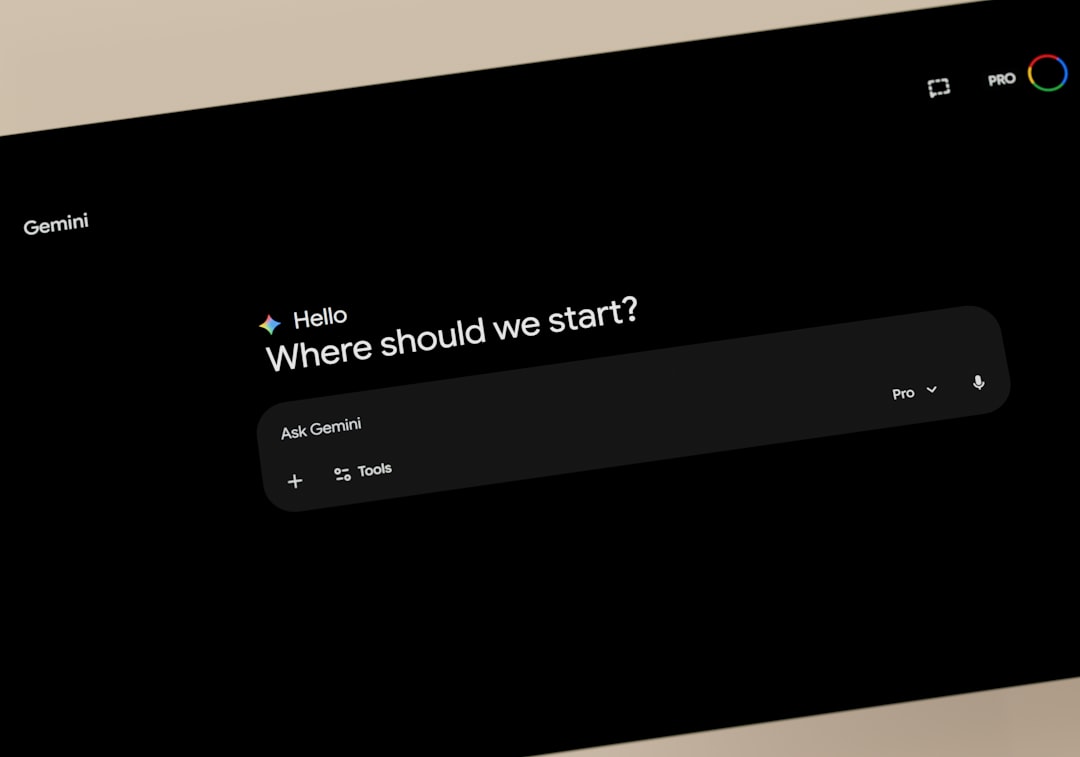
An AI browser assistant is a feature built into a web browser that uses artificial intelligence to help users understand, create, and act on information while browsing. Unlike a traditional search bar, which mainly retrieves links, an AI assistant can interpret content, respond conversationally, and perform tasks based on context.
For example, if you are reading a long report, the assistant may summarize the key points in seconds. If you are shopping for a laptop, it may compare specifications across multiple tabs. If you are writing an email in a web app, it may help improve tone, fix grammar, or generate a first draft. The browser becomes less like a passive tool and more like an interactive layer between you and the web.
This shift matters because most people spend a large part of their digital lives inside a browser. Adding AI directly to that environment means assistance appears exactly where it is needed, without requiring constant copying, pasting, and app switching.
Why AI Is Moving Into Browsers
The web contains more information than any person can reasonably process. Search engines improved discovery, but they also created a problem: users often face dozens of tabs, long articles, ads, pop-ups, product pages, reviews, and conflicting opinions. AI assistants are being added to browsers because they promise to reduce this overload.
- Speed: AI can summarize or extract information from pages faster than manual reading.
- Convenience: Built-in assistants are available directly in the browser sidebar, toolbar, or address bar.
- Context: The assistant can respond based on the current page, selected text, or open tabs.
- Productivity: Users can draft content, translate text, organize research, and complete routine tasks more efficiently.
- Accessibility: AI can simplify complex language, read content aloud, or help users navigate dense information.
The result is a more conversational browsing experience. Rather than only typing keywords into a search box, users can ask questions like, “What are the main arguments in this article?” or “Compare these three products and tell me which is best for travel.”
Common Features in AI Powered Browsers
Different browsers approach AI in different ways, but many of their features fall into a few major categories.
1. Page Summaries
One of the most popular AI browser tools is automatic summarization. A long news article, academic paper, legal document, or product review can be condensed into a few key points. This is useful for quickly deciding whether something is worth reading in full.
However, summaries should not replace careful reading when details matter. AI may miss nuance, omit important caveats, or simplify a topic too much. The best use is often as a preview, not a final authority.
2. Conversational Search
AI assistants can turn search into a dialogue. Instead of entering a query, scanning results, opening pages, and piecing together an answer, users can ask natural questions and receive a synthesized response. Follow-up questions make the process feel more like talking to a knowledgeable guide.
For instance, a traveler might ask, “What should I know before visiting Tokyo in September?” and then follow up with, “Which neighborhoods are best for first-time visitors?” This reduces the need to restart searches from scratch.
3. Writing Help
Many AI browser assistants can help write and edit text inside web pages. This may include emails, social media posts, documents, customer support replies, or job applications. Users can ask for a friendlier tone, a shorter version, a more professional phrasing, or a correction of grammar and spelling.
This is especially useful for people who write frequently online. It can also help non-native speakers communicate more confidently. Still, it is wise to review AI-written text carefully so it does not sound generic, inaccurate, or unlike your own voice.
4. Tab and Research Management
Anyone who has opened twenty tabs during research knows the problem of digital clutter. AI assistants can help group tabs by topic, summarize what is open, identify duplicates, or highlight the most relevant pages. Some tools may even create a structured research brief from multiple sources.
This turns the browser into a lightweight research assistant. Instead of manually tracking every page, users can ask, “What have I learned from these tabs?” or “Which sources disagree with each other?”
5. Shopping and Product Comparison
AI can also help with online shopping. It may summarize reviews, compare prices, explain technical specifications, or identify pros and cons. When used well, this removes some of the noise from product pages and marketing language.
For example, if you are comparing headphones, the browser assistant could explain differences in battery life, noise cancellation, comfort, and price. It may also help detect patterns in customer reviews, such as frequent complaints about durability.
Examples of Browsers Adding AI
Several major browsers and browser-like platforms have introduced AI features or are actively experimenting with them. The exact tools may change quickly, but the general direction is clear: AI is becoming a core part of the browsing experience.
- Microsoft Edge: Edge has integrated AI through Copilot, offering sidebar chat, page summaries, writing assistance, and contextual help.
- Google Chrome: Chrome has been adding AI features such as writing help, tab organization, theme generation, and search enhancements connected to Google’s AI ecosystem.
- Opera: Opera has introduced AI tools such as Aria, designed to assist with browsing, answering questions, and generating content.
- Brave: Brave has explored AI assistance while emphasizing privacy, including tools that summarize search results and help answer questions.
- Arc and other newer browsers: Some modern browsers are experimenting with AI-first workflows, including automatic page summaries, smart organization, and proactive suggestions.
The competition is not only about who has the smartest chatbot. It is also about who can make AI feel natural, fast, trustworthy, and respectful of user privacy.

How AI Assistants Change Everyday Browsing
The most interesting part of AI browsers is not a single flashy feature. It is the way small conveniences accumulate throughout the day. A student can summarize research papers, ask for definitions, and generate study questions. A marketer can compare competitor pages, draft campaign copy, and analyze customer reviews. A developer can look up documentation and ask the assistant to explain an error message. A casual user can plan a trip, understand a medical article, or simplify a confusing government form.
In each case, the assistant reduces the distance between finding information and doing something useful with it. This may encourage people to explore topics they would otherwise avoid because the information feels too dense or time-consuming.
AI browsing can also make the internet feel more personal. Instead of every user receiving the same page and trying to interpret it alone, the assistant can reshape information based on the user’s needs. It can explain like a teacher, summarize like an editor, translate like an interpreter, or brainstorm like a colleague.
The Benefits of Built In AI
There are strong reasons why users may prefer AI inside the browser rather than in a separate app.
- Less switching: Users do not need to move content between tabs, chatbots, documents, and search engines.
- Better context: The AI can often understand the page you are viewing or the text you have selected.
- Faster workflows: Summaries, rewrites, and explanations can happen in seconds.
- More approachable information: Complex subjects can be simplified or translated instantly.
- Integrated action: Some assistants may help users move from information gathering to completing tasks.
For professionals, these benefits can translate into meaningful productivity gains. For everyday users, they can make the web less overwhelming and more useful.
The Risks and Limitations
AI browsers are convenient, but they are not perfect. The most obvious issue is accuracy. AI assistants can produce confident answers that are incomplete, outdated, or wrong. This is sometimes called a hallucination, and it is especially risky when dealing with health, finance, law, or technical instructions.
Another concern is privacy. To provide contextual help, an AI assistant may need access to page content, search queries, documents, or selected text. Users should understand what data is processed, where it is sent, whether it is stored, and how it may be used to improve AI systems. Privacy-focused browsers may handle this differently from browsers tied to large advertising or cloud ecosystems.
There is also the risk of overreliance. If users let AI summarize everything, they may miss subtle arguments, emotional tone, or important evidence. If they use AI to write everything, their communication may become less personal. The best approach is to treat the assistant as a helpful tool, not a replacement for judgment.

What to Look For in an AI Browser
If you are choosing a browser with an AI assistant, consider more than the quality of its answers. Look at the full experience.
- Privacy controls: Can you decide when the assistant can access page content?
- Transparency: Does the browser explain how AI responses are generated?
- Source links: Does it show where information comes from?
- Speed: Does the assistant respond quickly enough to be useful?
- Writing quality: Can it adjust tone, length, and style effectively?
- Compatibility: Does it work well with the websites and apps you use most?
- Control: Can you turn features off if they become distracting?
A good AI browser should feel helpful without becoming intrusive. The assistant should be available when needed, but not constantly interrupting the user with unnecessary suggestions.
The Future of Browsing With AI
Today’s AI browser assistants mostly summarize, answer, draft, and organize. In the future, they may become more action-oriented. A user might say, “Find the best flight under this budget, compare hotel options near the conference center, and create a weekend itinerary,” and the browser could coordinate the entire process across multiple sites.
We may also see more personalized browsing environments. The browser could remember user preferences, preferred writing style, accessibility needs, shopping priorities, or research habits. That could be powerful, but it will also make privacy and user control even more important.
Another likely development is stronger integration with work tools. AI browsers may connect browsing activity with calendars, documents, email, project management platforms, and note-taking apps. The browser could become a central command center for digital work, not just a place to visit websites.
Final Thoughts
Browsers with AI assistants built in represent one of the biggest changes to web browsing in years. They make the internet feel less like a massive library with no librarian and more like a guided workspace where information can be summarized, questioned, rewritten, and organized on demand.
The technology is still developing, and users should remain alert to issues of accuracy, bias, privacy, and dependence. But when used thoughtfully, AI browser assistants can be genuinely useful. They help people read faster, write better, research more deeply, and navigate the web with greater confidence.
The browser is no longer just where the internet appears. Increasingly, it is where the internet gets interpreted, shaped, and turned into action.