
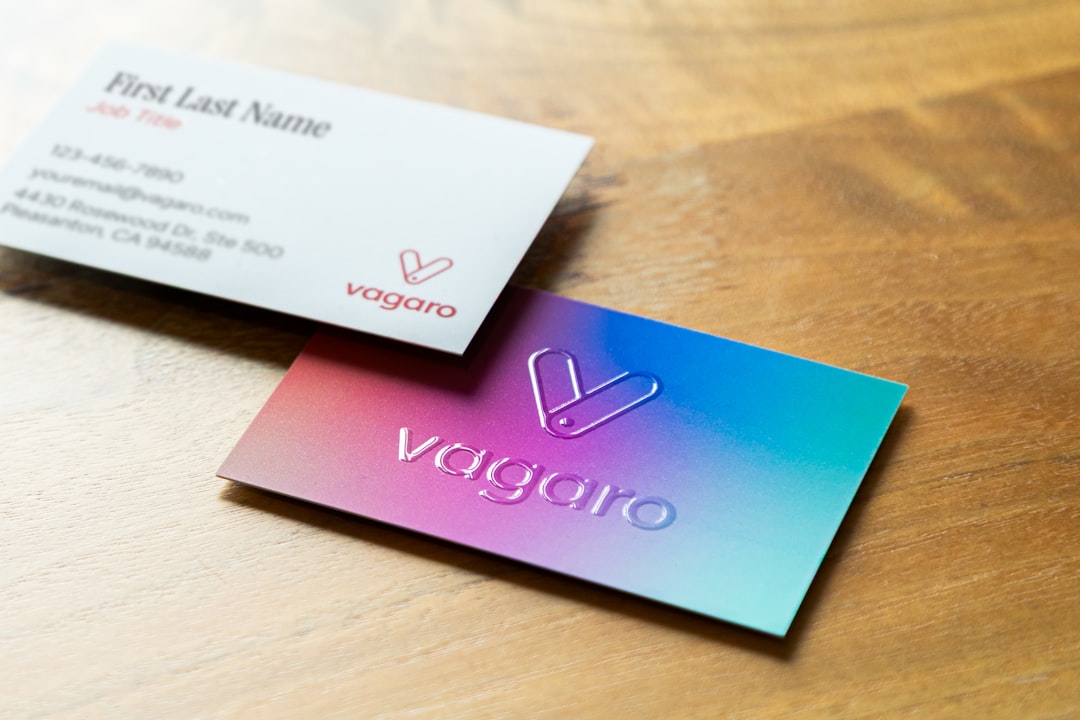
A business card may be small, but it still carries a lot of weight. Whether you are a freelancer, consultant, startup founder, real estate agent, designer, coach, or local service provider, a well-made card helps people remember who you are and what you offer. Today, business card generators make it easier than ever to create polished, professional branding without hiring a designer or learning complex software.
TLDR: Business card generators simplify the process of creating professional, memorable cards by offering templates, easy customization, and print-ready files. They are especially useful for entrepreneurs and small businesses that need strong branding without a large budget. The best tools help you control layout, colors, typography, logos, and finishes while keeping the design clean and effective.
Table of Contents
Why Business Cards Still Matter
In a digital-first world, it is tempting to assume that business cards are outdated. However, they remain one of the most practical networking tools available. A business card gives someone a physical reminder of a conversation, a meeting, or a service they may need later. Unlike a social media profile or email address that can be forgotten, a card can sit on a desk, in a wallet, or on a bulletin board where it continues to work quietly for your brand.
More importantly, a card communicates professionalism. When you hand over a clean, thoughtfully designed card, you send a message: this business is prepared, consistent, and serious about presentation. That first impression can influence whether someone visits your website, books a consultation, or recommends you to another person.
What Business Card Generators Actually Do
A business card generator is an online tool that helps users design cards quickly with prebuilt layouts, drag-and-drop editing, and customization options. Instead of starting with a blank canvas, you can choose a template and adapt it to your brand. Most generators allow you to adjust colors, fonts, logos, icons, spacing, and contact details. Many also provide downloadable files suitable for printing or sharing digitally.
The main benefit is speed without sacrificing structure. A good generator handles the technical details, such as alignment, margins, bleed areas, and sizing, so you can focus on the message and visual identity. For non-designers, this is a major advantage because even small layout mistakes can make a card look amateurish.
Key Features That Make Branding Easier
Not all business card generators are equal. Some are basic and template-heavy, while others provide more advanced customization. When choosing a tool, look for features that support both visual quality and brand consistency.
- Professional templates: A strong template library gives you a faster starting point and helps avoid cluttered or outdated designs.
- Logo upload: Your logo should be easy to add, resize, and position without losing quality.
- Color customization: Brand colors should be adjustable using exact color codes when possible.
- Font control: Typography affects personality, readability, and professionalism.
- Front and back design: Double-sided cards give you more space for taglines, QR codes, appointment notes, or service lists.
- Print-ready export: Download options such as PDF, PNG, or high-resolution formats are essential for quality printing.
- Digital sharing: Some tools allow you to create cards that can be emailed, saved to a phone, or shared through a link.
How Templates Help Non-Designers Look Professional
One of the biggest strengths of business card generators is the template system. Good templates are built around design principles such as hierarchy, balance, contrast, and spacing. This means your name, job title, phone number, email, website, and logo are arranged in a way that feels natural and easy to read.
Templates also help users avoid common mistakes. Many homemade cards suffer from too many fonts, weak contrast, cramped text, or unnecessary decoration. A generator can keep the design focused. You can still make the card feel personal, but the underlying structure helps maintain a polished look.
For example, a financial advisor may choose a simple white and navy layout with a serif font to communicate trust. A photographer might select a minimal design with a bold image on the back. A personal trainer could use energetic colors and strong typography. The template provides the framework; your brand choices provide the personality.
What to Put on a Business Card
A professional card should not try to say everything about your business. It should provide the most important information clearly and encourage the next step. In most cases, include:
- Your name and business name
- Your role or specialty, such as “Brand Strategist” or “Licensed Realtor”
- Phone number and professional email address
- Website or portfolio link
- Logo or recognizable brand mark
- Social handle, if it is important to your business
- QR code, if it leads to a useful destination such as a booking page
Keep the wording brief. A business card is not a brochure. If you offer multiple services, consider adding only a short tagline or three-word service summary, such as “Strategy. Design. Growth.” Simplicity often feels more confident than overcrowding.
Design Tips for a Stronger Card
Even with a generator, design decisions matter. The best cards are visually clear and aligned with the way you want people to feel about your business. A bold startup card can look very different from a luxury consulting card, but both can be effective if the design is intentional.
- Prioritize readability: Avoid tiny text, overly decorative fonts, and low-contrast color combinations.
- Use white space: Empty space is not wasted space; it helps important details stand out.
- Limit fonts: One or two fonts are usually enough for a professional look.
- Match your brand: Colors, tone, and layout should feel consistent with your website, logo, and social profiles.
- Check alignment: Even small alignment issues can make a card feel unpolished.
- Proofread carefully: A typo in your phone number or email can make the card useless.
Print Quality Still Counts
A business card generator can create the design, but the final impression also depends on printing. Paper weight, finish, and texture all affect how the card feels in someone’s hand. A thin, flimsy card may weaken an otherwise beautiful design, while a sturdy matte or soft-touch card can instantly feel more premium.
Consider whether your brand calls for a glossy, matte, textured, recycled, or luxury finish. A creative studio might use a bold color edge or unusual shape, while a law office may prefer a classic matte stock. The goal is not always to choose the most expensive option, but to choose a finish that supports your brand message.

Digital Business Cards and QR Codes
Many modern business card generators now support digital-friendly features. QR codes are especially useful because they connect a physical card to an online action. A QR code can open a website, portfolio, location map, contact form, booking calendar, menu, or social profile. This makes the card more interactive and measurable.
Digital business cards are also growing in popularity. They can be shared through email, messaging apps, or near-field communication devices. Still, rather than replacing printed cards entirely, digital versions often work best as a companion. A printed card is excellent in face-to-face meetings, while a digital card is convenient for remote networking.
Who Benefits Most from Business Card Generators?
Business card generators are valuable for nearly anyone who needs fast, affordable branding materials. They are especially helpful for small business owners who may not have the budget for a full design project. Freelancers can create cards for events, pitches, and client meetings. Startups can produce temporary or early-stage cards while their brand evolves. Local professionals can refresh outdated cards without waiting weeks for revisions.
They are also useful for teams. A company can create a consistent template and then generate cards for different employees with matching branding. This keeps the organization looking unified while allowing each person’s details to be customized.
Final Thoughts
Business card generators make professional branding simpler by removing many of the technical and creative barriers that once made design difficult. With the right template, clear information, strong typography, and brand-appropriate colors, anyone can create a card that feels credible and memorable.
The best results come from treating the card as more than a contact slip. Think of it as a compact brand experience: a small object that communicates who you are, what you do, and why someone should remember you. When used thoughtfully, a business card generator can help turn a simple introduction into a lasting opportunity.