Pick RoboDK if you need broad robot brand support, Visual Components if you need factory-level simulation, ABB RobotStudio if your shop is ABB-heavy, and Siemens Process Simulate if you work in large automotive or aerospace programs. FANUC ROBOGUIDE is strong for FANUC robots, but it is not the best fit when a plant runs mixed robot brands or needs wider manufacturing simulation. FANUC describes ROBOGUIDE as offline programming and simulation software for FANUC robots [source: FANUC].
TLDR: For most mixed-brand robot teams, RoboDK is the easiest ROBOGUIDE alternative to justify. For example, a plant with 12 robots from FANUC, ABB, and KUKA can standardize more of its offline programming work in one tool instead of training every engineer on brand-specific software. Visual Components is better when the goal is layout, flow, and manufacturing analysis, not only robot paths. ABB RobotStudio is the safest pick for ABB cells, while Siemens Process Simulate fits bigger programs with strict process planning needs.
Table of Contents
Quick comparison of ROBOGUIDE alternatives
| Software | Best fit | Main strength | Main warning |
|---|---|---|---|
| RoboDK | Mixed robot brands, integrators, small to mid-size teams | Offline programming across many robot brands | Advanced factory simulation is not its main focus |
| Visual Components | Manufacturing simulation and layout planning | Clear 3D factory modeling and process flow review | Robot code work can feel less direct than robot-first tools |
| ABB RobotStudio | ABB robot users | Virtual ABB controller accuracy | Not built for programming every brand equally |
| Siemens Process Simulate | Large manufacturers and OEM programs | Process planning, validation, and shop-floor alignment | Cost, setup, and training can be heavy |
1. RoboDK: best general-purpose alternative
RoboDK is often the most practical replacement for ROBOGUIDE when a company does not want to stay locked into one robot brand. It supports a wide range of industrial robots and post-processors, including FANUC, ABB, KUKA, Yaskawa, Universal Robots, and others. RoboDK says it supports more than 50 robot manufacturers [source: RoboDK].
Its biggest value is speed. You can import CAD geometry, define targets, check reach, simulate movement, then post real robot code. That matters for welding, milling, trimming, dispensing, inspection, and pick-and-place work. The interface is not perfect, but it is direct. You spend less time hunting through menus and more time proving the robot can do the job.
The catch is… RoboDK is not a full digital factory package. It can simulate cells well, but if your team needs deep line balancing, operator flow, conveyors, buffers, and production analytics, Visual Components or Siemens may fit better.
2. Visual Components: best for manufacturing workflows
Visual Components is less about one robot and more about the full production system. That makes it useful for factories that need to test layout ideas before buying hardware. You can model robots, machines, conveyors, AGVs, workstations, and human tasks in a visual 3D environment.
This is where it beats ROBOGUIDE for planning. ROBOGUIDE is focused on FANUC robot behavior. Visual Components is better when the question is, “Will this whole cell or line work at the target rate?” That makes it useful for quoting, concept reviews, cycle-time studies, and sales engineering.
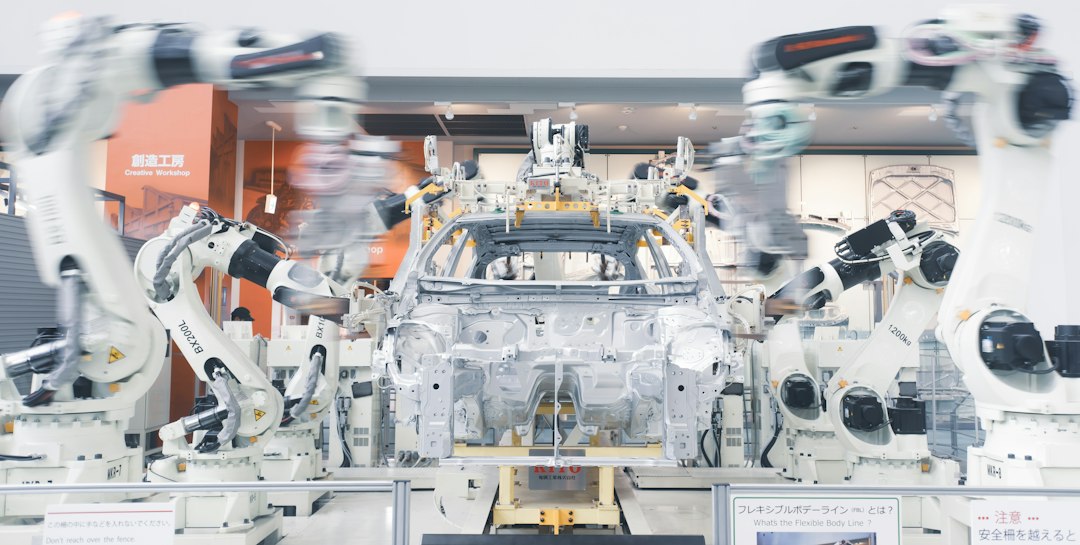
Expect to spend time building clean models. Bad inputs create bad simulations. Still, for manufacturing engineers, the tradeoff is fair. It gives non-robot specialists a clearer view of bottlenecks and space conflicts.
3. ABB RobotStudio: best for ABB robot cells
ABB RobotStudio is the obvious choice if your production line uses ABB robots. Its major strength is the virtual ABB controller. That means programs can be built and tested in a software environment that closely reflects the real controller. ABB promotes RobotStudio as offline programming and simulation software with a virtual controller based on the real IRC5 and OmniCore controllers [source: ABB].
For ABB-heavy plants, that accuracy saves pain. Engineers can create paths, check collisions, tune logic, and prepare programs before touching the real cell. This reduces shop-floor disruption, which is often the whole point of offline programming.
It drives me crazy that some teams try to use one generic tool for every detail of an ABB cell, then lose time fixing controller-specific issues later. If the cell is ABB, RobotStudio should at least be part of the review process.
4. Siemens Process Simulate: best for enterprise process planning
Siemens Process Simulate is not the lightest ROBOGUIDE alternative. It is also not the cheapest path. But it has a serious role in large plants where robot simulation must connect with process planning, product data, ergonomics, fixtures, and manufacturing validation.
This is common in automotive, aerospace, and complex assembly. One robot path is only a small piece of the job. The team may need to validate hundreds of operations, check tooling access, prove sequence logic, and share data with many departments.
For a small welding shop, Siemens may feel too heavy. For a global OEM program, it can be the right tool because it supports structured engineering work across many stations and suppliers.
Which one should you choose?
- Choose RoboDK if you want flexible offline programming across many robot brands.
- Choose Visual Components if you need to test full manufacturing workflows, not just robot motion.
- Choose ABB RobotStudio if ABB robots are central to your production cell.
- Choose Siemens Process Simulate if your company runs large, data-heavy manufacturing programs.
ROBOGUIDE remains a strong tool for FANUC-only environments. The problem starts when the factory grows beyond one brand, one cell, or one programming method. At that point, the better choice is the tool that matches the work: robot code, factory flow, controller accuracy, or enterprise planning.