
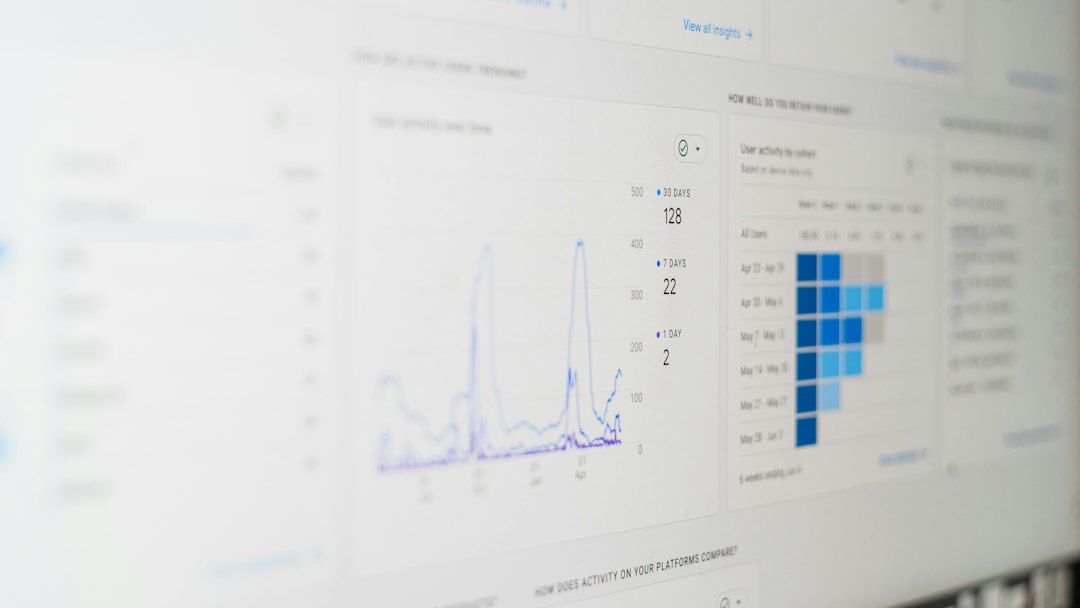
The best way to compare SEO software pricing is to calculate the full working cost, not just the monthly plan. A tool that looks cheap at $99 per month can cost much more once extra users, tracked keywords, crawl credits, training, and reporting limits are added. For example, Ahrefs lists its Lite plan from $129 per month, but teams often need higher limits as projects grow [source: Ahrefs].
TLDR: SEO software buyers should compare the total cost of use, not only the subscription fee. A three-person agency might start with a $129 plan, then add $80 to $200 in seats, reporting, or tracking limits. If the tool saves 10 hours per month at a $50 hourly rate, it may still be worth it. But if exports, credits, and client reports are locked behind upgrades, the “cheap” plan gets annoying fast.
Table of Contents
1. Extra User Seats
Many SEO tools price plans around one user. That works for a solo consultant. It fails fast for a team.
A manager, content writer, link builder, and client may all need access. Some platforms charge per seat. Others limit permissions unless the account upgrades. The buyer should check:
- How many users are included?
- Are read-only users free?
- Can clients view reports without paid access?
- Are admin roles included?
Honestly, it feels like some tools treat a second login as a luxury feature. That tiny detail can double the bill.
2. Keyword Tracking Limits
Rank tracking is one of the first limits buyers hit. A plan may include 500 keywords, but that number shrinks fast across locations, devices, and search engines.
For example, one keyword tracked on desktop and mobile in five cities may count as 10 tracked positions. That turns 500 keywords into only 50 real business terms.
Companies should compare how each platform counts keywords. They should also check update frequency. Daily tracking often costs more than weekly tracking.
3. Crawl Credits and Site Audit Limits
Site audits are not always as unlimited as they sound. Tools may cap the number of crawled pages, projects, or monthly audit runs.
This matters for ecommerce sites, publishers, and agencies. A 20,000-page store can burn through crawl credits in one deep scan. The catch is that technical SEO problems usually appear at scale, right where the cheaper plan stops helping.
Buyers should ask:
- How many pages can be crawled each month?
- Are JavaScript rendering checks included?
- Can audits be scheduled?
- Does the plan include historical crawl data?
4. Reporting and Export Costs
Reports are where pricing gets sneaky. Some tools allow unlimited dashboard views but restrict PDF exports, white-label reports, API pulls, or scheduled email reports.
For agencies, this is a big deal. If five clients need weekly reports, manual work adds up. Expect to waste time on silly clicks if automated reporting is locked behind a higher plan.
White-label reporting may also cost extra. That means the agency can remove the software company’s logo and use its own branding. For client-facing work, that often matters.
5. Onboarding, Training, and Setup
SEO software can be powerful and still be confusing. New users need time to learn dashboards, filters, alerts, and workflows.
Some vendors include onboarding. Others sell training as a paid add-on. The buyer should count the cost of staff time too. If two employees spend eight hours learning a tool, that is 16 paid hours before any SEO work gets done.
This same habit helps when reviewing other software categories. A buyer comparing CAD software pricing and alternatives would also check setup effort, file support, and training time.
6. Integrations and API Access
SEO teams rarely use one tool alone. They may connect data to Google Looker Studio, Sheets, CRM tools, data warehouses, or internal dashboards.
API access is often limited to premium plans. Some tools offer it only on custom plans. That can hurt data-heavy teams.
Before choosing software, the buyer should list every needed connection. Then they should check if those integrations are included, limited, or billed by usage.

7. Contract Terms, Discounts, and Cancellation Rules
Annual plans often look cheaper. A 15% or 20% discount sounds nice. But annual billing also locks in the buyer.
The company should check cancellation rules, refund terms, auto-renewal dates, and upgrade policies. Some tools allow easy downgrades. Others make it painful.
The buyer should also ask what happens if rankings, clients, or sites grow mid-contract. Overages can turn a clean budget into a mess.
A Simple Comparison Method
The cleanest method is to build a one-year cost table. It should include:
- Base subscription
- Extra seats
- Keyword tracking
- Crawl credits
- Reporting features
- Training and setup time
- Integrations and API access
Then the buyer should score each tool by value, not just price. A more expensive tool may win if it replaces two tools, cuts reporting time, or gives cleaner data.
This approach works outside SEO too. Pricing guides for tools like music production software editions or AI face swap tools often show the same pattern: the sticker price is only part of the story.
FAQ
What is the most hidden SEO software cost?
The most hidden cost is often usage limits. Keyword tracking, crawl credits, exports, and API calls can force an upgrade sooner than expected.
Is annual SEO software billing worth it?
It can be worth it if the team has tested the tool and knows it fits. If not, monthly billing is safer, even when it costs more.
Should small businesses pay for premium SEO tools?
Small businesses should pay only when the tool saves time or improves decisions. A cheaper plan is fine if it covers core needs like audits, rank tracking, and keyword research.
How can agencies compare SEO tool pricing?
Agencies should price each tool around clients, reports, users, and tracked keywords. The best option is the one that supports client work without constant manual fixes.
What should buyers ask before signing up?
They should ask what happens when limits are reached, whether reports are included, how many users are allowed, and how hard it is to cancel or downgrade.