

Turning a boring PDF into a shiny flipbook feels a bit like giving it a tiny tuxedo. AnyFlip is one of the tools that does this. It takes PDFs, brochures, catalogs, magazines, menus, reports, and portfolios, then makes them feel more like real books online.
TLDR: AnyFlip is a simple flipbook maker with page-turn effects, hosting, sharing, and basic marketing tools. It is good for small teams, teachers, real estate agents, and shops that want nicer PDFs without hiring a developer. For example, a store could turn a 40-page product catalog into a flipbook and track which pages get the most views. If 65% of readers stop on the pricing page, that is useful sales data.
Table of Contents
AnyFlip Review: Features, Pricing, Pros, Cons, and Flipbook Alternatives
What Is AnyFlip?
AnyFlip is an online flipbook platform. You upload a PDF. It turns the file into an interactive digital book. Readers can flip pages, zoom in, search text, and share the book with others.
It works in a browser. So your audience does not need to download a heavy file. They can open a link on a laptop, phone, or tablet. Nice and easy.
AnyFlip is often used for:
- Digital magazines
- Product catalogs
- Real estate brochures
- School materials
- Restaurant menus
- Company reports
- Event programs
- Portfolios and lookbooks
In short, if you have a PDF that feels flat, AnyFlip can give it a bit of sparkle.
Main Features of AnyFlip
AnyFlip has many tools, but most users care about a few big ones. Let’s keep it simple.
1. PDF to Flipbook Conversion
This is the main event. Upload your PDF, and AnyFlip turns it into a realistic page-flipping book. The animation is smooth. The layout stays close to your original file.
2. Online Hosting
You can host your flipbook on AnyFlip. This means you get a shareable link. No server setup. No tech headache. Just upload and share.
3. Embedding
You can place your flipbook on a website or blog. AnyFlip gives you embed code. Copy it. Paste it. Done. Your PDF now lives inside your page like a fancy little magazine.
4. Templates and Themes
AnyFlip includes design options. You can change backgrounds, button styles, colors, and reading settings. This helps the flipbook match your brand.
5. Multimedia Support
Paid plans may let you add videos, links, audio, images, and buttons. This is great for product catalogs. A customer can click a product and go straight to the purchase page.
6. Mobile-Friendly Reading
Flipbooks work on phones and tablets. This matters a lot. Many readers will open your content while walking, shopping, or pretending to work.
7. SEO Options
AnyFlip can help your flipbooks appear in search engines. You can add titles, descriptions, and keywords. This is useful for public catalogs, brochures, and magazines.
8. Privacy and Sharing Controls
Depending on the plan, you may get privacy settings. You can make a flipbook public, private, or password protected. This is helpful for internal documents or paid materials.
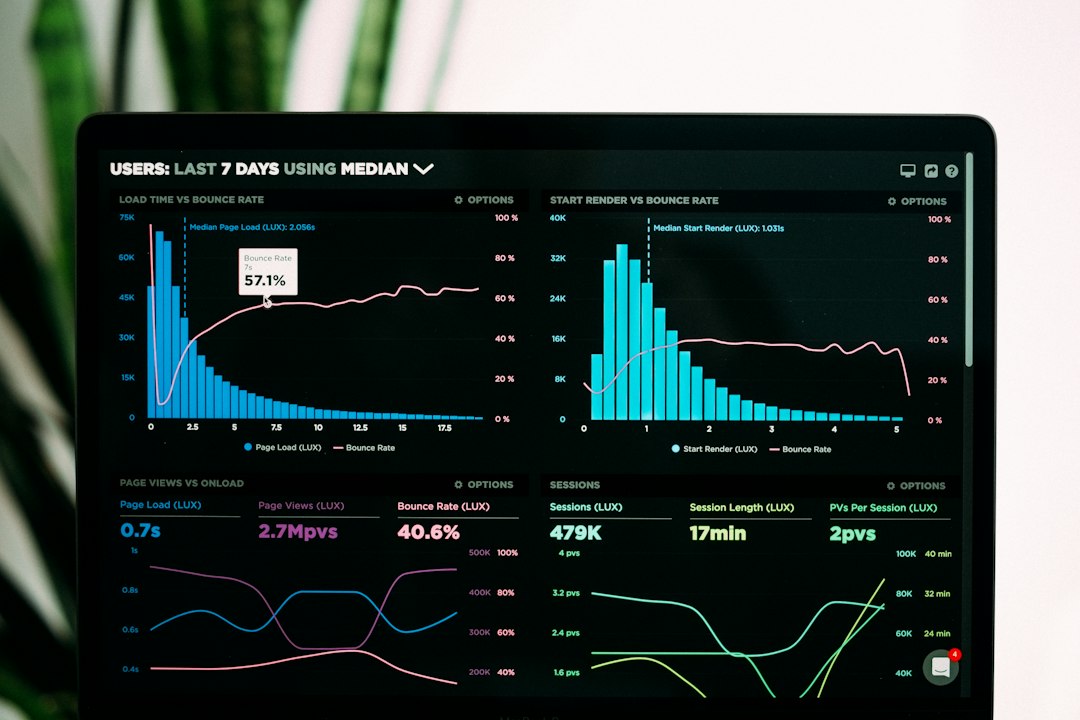
9. Analytics
Some plans include stats. You can see views, reading behavior, and traffic sources. This helps you learn what people actually read. Spoiler: it is not always the page you expected.
AnyFlip Pricing
AnyFlip usually offers a free plan and several paid plans. Prices can change, so always check the official pricing page before buying. At the time of writing, the common structure looks like this:
- Free Plan: Basic publishing with AnyFlip branding and limited features.
- Pro Plan: Often aimed at individuals who want more uploads, fewer limits, and better customization.
- Platinum Plan: A stronger plan for marketers, publishers, and small businesses.
- Enterprise Plan: Built for larger teams that need more storage, branding control, and advanced options.
Paid plans are often priced monthly or yearly. Yearly billing usually gives a discount. Expect the lowest paid plan to cost around the price of a few coffees per month. Higher plans can cost much more, especially for businesses that need more storage, traffic, and brand control.
The free plan is good for testing. But it may include ads, watermarks, upload limits, or fewer design choices. If you want a clean branded look, you will probably need a paid plan.
Pros of AnyFlip
- Easy to use: Uploading a PDF is simple. Beginners can start fast.
- No coding needed: You do not need a developer.
- Looks better than a plain PDF: The flip effect adds charm.
- Good sharing tools: You can send a link, embed the book, or share on social media.
- Works on many devices: Readers can open it on desktop or mobile.
- Useful for marketing: Links, videos, and stats can turn a catalog into a sales tool.
Cons of AnyFlip
- The free plan is limited: It is fine for testing, but not ideal for serious branding.
- Design control has limits: You can customize, but it is not a full design studio.
- Large files can take time: Big PDFs may need patience.
- Some features sit behind paid plans: Multimedia, privacy, and analytics may require an upgrade.
- Flip effects are not for every audience: Some readers just want a fast PDF download.
Who Should Use AnyFlip?
AnyFlip is a good fit if you want something quick and visual. It is great for small businesses, online shops, schools, agencies, realtors, and event teams.
Imagine a wedding planner. She has a 20-page service guide. A plain PDF feels dull. With AnyFlip, she can turn it into a smooth brochure. She adds a video, a booking link, and a price page. Now it feels more premium. It also works better on phones. That is a win.
But AnyFlip may not be the best choice if you need deep design editing, complex team workflows, or advanced sales automation. In that case, look at alternatives.
Best AnyFlip Alternatives
1. Flipsnack
Flipsnack is polished and popular. It has strong design tools, templates, branding features, and collaboration options. It is great for teams that want a cleaner design workflow. It can cost more, but it feels very professional.
2. Issuu
Issuu is well known for magazines, reports, and public publishing. It has a large reading network. This is useful if you want discovery. It is less focused on tiny business brochures and more focused on digital publishing at scale.
3. Heyzine
Heyzine is simple, modern, and often budget-friendly. It is good for users who want fast PDF to flipbook conversion without too much fuss. It also offers nice customization and embedding options.
4. FlipHTML5
FlipHTML5 is very similar to AnyFlip. It offers PDF conversion, templates, cloud hosting, multimedia, and branding tools. If you like AnyFlip but want to compare prices and interface style, this is a strong option.
5. Paperturn
Paperturn focuses on business users. It is clean, accessible, and strong on professional publishing. It may suit companies that care about lead capture, privacy, and a more serious reading experience.

Final Verdict
AnyFlip is a solid flipbook maker. It is simple, useful, and friendly for beginners. It can take a dull PDF and make it feel more alive in minutes.
Its biggest strengths are ease of use, sharing, hosting, and interactive features. Its biggest weaknesses are free plan limits and less design freedom than some premium platforms.
If you need a quick brochure, catalog, menu, magazine, or report, AnyFlip is worth trying. Start with the free plan. Test one document. Check how it looks on your phone. Then decide if the paid features are worth it.
For many users, AnyFlip does exactly what it promises. It flips pages. It shares fast. It makes PDFs less boring. And honestly, that is a pretty neat trick.