
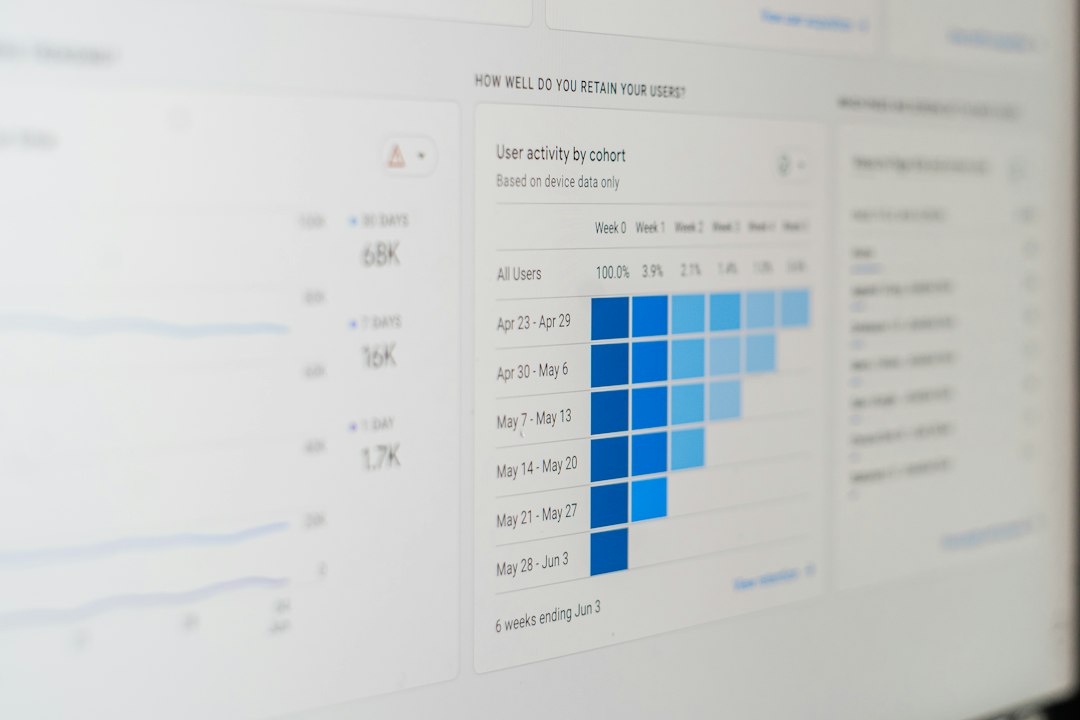
The best app store ranking tools are the ones that show keyword movement, category rank changes, and competitor shifts before your downloads dip. Apple says the App Store reaches more than 650 million weekly visitors, so even a small ranking change can matter a lot [source: Apple]. If your app depends on organic traffic, you need more than a spreadsheet and wishful thinking.
TLDR: Use AppTweak or MobileAction for strong keyword tracking, Sensor Tower or data.ai for market intelligence, and App Radar or Appfigures for easier daily monitoring. For example, if a fitness app moves from position 18 to position 7 for “home workout,” it may see a sharp lift in impressions within days. A simple weekly check can catch a 20% keyword visibility drop before installs fall. The right tool depends on budget, team size, and how deep your ASO work goes.
Table of Contents
Top 6 tools for app store ranking and keyword visibility
Ranking tools are not magic. They do not fix weak screenshots or bad reviews. But they show what changed, when it changed, and who gained from it. That saves time. It also stops the “why did installs drop?” panic meeting.
-
1. AppTweak
Best for: ASO teams that want clean keyword tracking and competitor research.
AppTweak is one of the most polished ASO platforms. It tracks keyword rankings across countries, stores, and competitors. Its visibility score is useful when you need a quick health check. You can also compare metadata, screenshots, reviews, and search ads signals.
The catch is… it can feel like too much if you only manage one small app. But for serious ASO work, it gives you the depth you need without making reports painful.
-
2. Sensor Tower
Best for: larger teams that care about market data, competitors, and paid growth signals.
Sensor Tower is known for competitive intelligence. It helps track category rankings, keyword positions, download estimates, and revenue estimates. It is strong when you want to see how rivals are growing, what countries they are winning, and where they may be spending on ads.
It is not the cheapest option. Honestly, it feels like buying a race car when all you need is a bike if your app is still early. But for publishers with many apps, it earns its place.
-
3. data.ai
Best for: executives, analysts, and teams that need broad market context.
data.ai, formerly App Annie, is built for big-picture app intelligence. It tracks chart rankings, store performance, competitors, market share, and category trends. It is especially helpful for teams that report to investors or leadership.
The keyword visibility features are useful, though many teams use data.ai more for market tracking than hands-on ASO work. If you need boardroom-ready charts, it is a strong pick.
-
4. MobileAction
Best for: keyword research, paid search insight, and competitor keyword tracking.
MobileAction is strong for finding keyword gaps. You can monitor keyword rankings, search visibility, and competitor metadata. Its keyword suggestions are practical, especially when you are planning title, subtitle, and keyword field updates.
One useful feature is seeing which keywords competitors rank for that you do not. That can uncover easy wins. For example, a meditation app may rank for “sleep sounds” but miss “rain sounds,” even though both attract similar users.
-
5. App Radar
Best for: teams that want ASO workflows, not just ranking charts.
App Radar combines keyword monitoring with app store listing management. You can track rankings, research keywords, edit metadata, and prepare store updates in one place. It is friendly for marketers who do not want to live inside raw data tables all day.
Its strength is process. You can plan changes, track before-and-after ranking movement, and keep notes on what worked. That matters because ASO tests are easy to forget after three busy weeks.
-
6. Appfigures
Best for: smaller teams that need affordable rank tracking and app analytics.
Appfigures is simple, useful, and less intimidating than many enterprise tools. It tracks app rankings, reviews, downloads, revenue, and keyword positions. The dashboard is fast to understand, which is rare enough to praise.
It may not have the same research depth as Sensor Tower or AppTweak. Still, if you run one to five apps and need daily alerts, it does the job well. Expect to waste less time digging through menus.
How to choose the right tool
Start with your real problem. If you need daily keyword tracking, choose AppTweak, MobileAction, or Appfigures. If you need to understand the whole market, choose Sensor Tower or data.ai. If your team needs a repeatable ASO workflow, App Radar is a smart fit.
- For indie developers: Appfigures offers a practical balance of cost and clarity.
- For ASO specialists: AppTweak and MobileAction give stronger keyword research tools.
- For growth teams: Sensor Tower helps connect organic rank changes with competitive shifts.
- For reporting: data.ai is useful when leaders want clean market-level charts.
- For store update planning: App Radar keeps tasks, keywords, and metadata closer together.
A good habit is to track 20 to 50 core keywords per app. Split them by intent. Use brand terms, feature terms, problem terms, and competitor terms. Check movement weekly, not every hour. Daily swings happen. Weekly drops tell a clearer story.
Also watch rankings by country. A keyword that is useless in the United States may work well in Canada, Germany, or Australia. Local search behavior can be odd. That is annoying, but it is also where smaller apps can win.
What to monitor every week
- Top keyword gains and losses
- Category rank changes
- Competitor keyword wins
- Review score movement
- Conversion rate after metadata or screenshot updates
The best tool is the one your team actually checks. Set alerts. Review changes every Monday. Keep a short note on each app store update. After two or three months, patterns start to show. That is when ranking data stops being noise and starts helping you make better ASO decisions.