
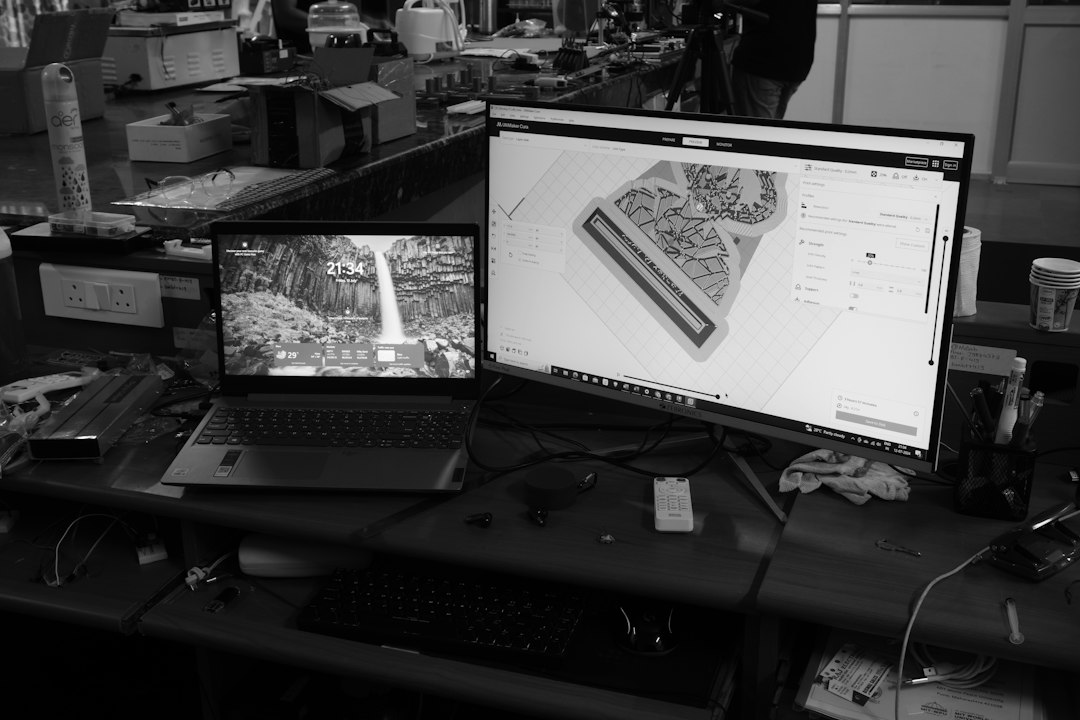
Keep SolidWorks as your main mechanical design tool, then add Fusion 360 if you need CAM, quick concept work, cloud reviews, or electronics; add AutoCAD if your team lives in DWG files, 2D layouts, and controlled drafting. That is the simplest split. SolidWorks is still the stronger daily driver for detailed mechanical assemblies, while Fusion 360 combines CAD, CAM, CAE, and PCB tools in one connected platform [source: Autodesk]. AutoCAD earns its seat when drawings, floor plans, schematics, and legacy files keep showing up in your inbox.
TLDR: If 70% of your work is 3D mechanical modeling, stay centered on SolidWorks and add Fusion 360 for CNC toolpaths, quick prototypes, and client reviews. If 40% or more of your week involves DWG cleanup, 2D details, plant layouts, or contractor markups, AutoCAD will save more time. Example: a small machine shop using SolidWorks for assemblies might use Fusion 360 to create CAM paths for 3-axis milling, while an equipment installer might use AutoCAD to place machines into building plans. Pick the tool that removes the most repeat work, not the one with the flashier demo.
Table of Contents
Where AutoCAD fits beside SolidWorks
AutoCAD is not trying to beat SolidWorks at mechanical assemblies. It is better at something else: precise 2D drafting and DWG handling. If customers, architects, fabricators, or municipalities send you DWG files, AutoCAD often feels like the cleanest way to open, edit, measure, and return them without strange formatting surprises.
This matters more than people admit. A beautiful SolidWorks model still needs to fit into a real shop, building, or site plan. AutoCAD is strong for:
- Factory layouts with machines, conveyors, walls, doors, and safety zones.
- Electrical and hydraulic schematics that must stay readable in 2D.
- Legacy DWG edits from suppliers and older projects.
- Permit drawings and documentation that must match strict drafting habits.
- Scaled technical drawings, especially when your team needs better control over lineweights, title blocks, and plotting. This guide on scaling drawings correctly is useful if that part keeps causing rework.
The annoying part? AutoCAD can feel painfully old-school if you are coming from modern parametric 3D tools. Expect to waste time on layers, blocks, xrefs, and plotting rules if the file came from someone with messy habits. Still, when the deliverable is a clean DWG, AutoCAD is hard to replace.
Where Fusion 360 fits beside SolidWorks
Fusion 360 feels closer to a flexible workshop tool. It is weaker than SolidWorks for huge production assemblies, but it is great when design, machining, and quick sharing all sit in the same project. That makes it a smart companion for small teams, product designers, makers, and shops that cut parts in-house.
Fusion 360 shines when you need:
- CAM toolpaths for milling, turning, cutting, and probing.
- Fast concept models before a design is rebuilt properly in SolidWorks.
- Cloud collaboration with managers, machinists, or clients.
- Integrated electronics for products with enclosures, boards, and connectors.
- Light simulation during early checks, before deeper engineering review.
Honestly, it feels like Fusion 360 was built for the messy middle of product development. That stage where the part is not final, the machinist has comments, the customer wants screenshots, and someone asks if the PCB can move 3 mm to the left. SolidWorks can do much of this, but Fusion often makes the loop feel lighter.

SolidWorks still has the center seat
SolidWorks remains the safer choice for serious mechanical engineering. It handles structured part files, controlled assemblies, drawings, configurations, mates, bills of materials, and engineering release routines better than either AutoCAD or Fusion 360 in most mechanical teams.
If your company already has SolidWorks templates, PDM rules, part numbering, and drawing standards, do not rip that up because another tool looks convenient. Add tools around it. Keep SolidWorks for production design. Use AutoCAD or Fusion 360 where each one removes friction.
Decision guide: choose by workflow, not brand
Use AutoCAD alongside SolidWorks if your pain is documentation. Use Fusion 360 if your pain is making, testing, and sharing early designs. The best choice depends on what slows your team down every week.
- Choose AutoCAD if vendors keep sending DWG files and your team edits 2D drawings daily.
- Choose AutoCAD if plant layouts, installation drawings, or schematics are common deliverables.
- Choose Fusion 360 if you need CAM without buying a separate machining package.
- Choose Fusion 360 if early prototypes, maker-style builds, or remote reviews are common.
- Choose both if your work moves from building plans to machine design to CNC production.
If you are also comparing broader CAD choices, this Rhino 3D review gives useful context for surface modeling and design-heavy work. It will not replace the AutoCAD versus Fusion 360 decision, but it helps show where other tools fit.
File handoff problems to expect
No mix is perfect. SolidWorks, AutoCAD, and Fusion 360 can exchange files, but clean transfer still takes care. STEP is usually safer for 3D geometry. DWG and DXF are better for 2D profiles, laser cutting, and layout work. Native feature trees rarely move cleanly between systems.
This is where teams lose time. A 10-minute export can turn into 45 minutes of fixing missing sketches, wrong units, broken references, or tiny imported edges. Create a simple handoff rule. Define which format to use, who owns the master file, and where the final drawing lives.

Also, do not ignore documentation. CAD teams live inside manuals, specs, part catalogs, forum posts, and release notes. If that reading load gets annoying, tools that make long pages easier to scan, like these browser extensions for content-heavy sites, can actually save time.
The practical answer
AutoCAD belongs beside SolidWorks when your work depends on 2D accuracy, DWG control, and formal drawings. Fusion 360 belongs beside SolidWorks when your work depends on fast prototypes, CAM, collaboration, and connected product development.
If you can only add one, check your last 10 projects. Count the hours spent editing DWG files versus preparing prototypes, toolpaths, or shared design reviews. The higher number gives you the answer.