
Use a Layer 4 load balancer when you need raw speed, simple routing, and stable transport-level distribution; use Layer 7 or application-aware options when the load balancer must understand requests, users, cookies, URLs, APIs, or business rules. That single choice can decide whether your stack stays simple or turns into a rule-heavy traffic control system.
TLDR: Layer 4 load balancing works at the TCP and UDP level, so it is fast, efficient, and ideal for high-volume services such as DNS, gaming, databases, and encrypted web traffic passthrough. Layer 7 load balancing reads application data, such as HTTP headers and paths, which allows smarter routing but adds processing cost. For example, a SaaS team handling 80,000 requests per minute might use L4 for TLS passthrough to reduce latency by a few milliseconds, while routing admin traffic through L7 for authentication and inspection. A common pattern is not L4 or L7, but L4 at the edge and L7 deeper inside the platform.
Table of Contents
What Layer 4 load balancing actually does
A Layer 4 load balancer operates at the transport layer of the OSI model. It makes decisions using data such as source IP, destination IP, source port, destination port, and protocol. It does not need to read the HTTP request body. It does not care whether the request is for /checkout, /login, or /api/reports.
This makes L4 load balancing lean. It can forward packets quickly because it avoids deep request inspection. In many setups, it keeps connections stable using simple algorithms such as round robin, least connections, source IP hashing, or consistent hashing.

Typical Layer 4 use cases include:
- TCP services, such as databases, message brokers, SSH gateways, and mail servers.
- UDP services, such as DNS, VoIP, video streaming, and multiplayer game servers.
- TLS passthrough, where encryption terminates on the backend server, not at the load balancer.
- Very high connection volume, where every extra millisecond matters.
The appeal is clear. Fewer moving parts. Lower overhead. Less request parsing. Fewer weird edge cases caused by header rewrites or proxy behavior. Honestly, it feels like a relief when a traffic layer just passes connections cleanly and does not try to be clever.
How Layer 7 load balancing differs
A Layer 7 load balancer works at the application layer. It can inspect HTTP methods, paths, headers, cookies, query strings, content types, and sometimes even request bodies. This makes it far more expressive than L4.
With L7, you can send /api traffic to one service, /images to another, and /admin to a restricted pool. You can route mobile app requests differently from browser requests. You can terminate TLS, apply web application firewall rules, inject headers, manage sessions, and block suspicious traffic before it touches your app.
That power has a cost. L7 systems consume more CPU and memory because they parse application data. They also create more configuration risk. One bad rule can break a checkout path while leaving the homepage healthy, which is the kind of partial outage that wastes an afternoon.
Common Layer 7 use cases include:
- HTTP and HTTPS applications with multiple paths, services, or tenants.
- Microservices that need path-based or host-based routing.
- API gateways with rate limits, authentication, and request validation.
- Cookie-based session persistence for user-facing web apps.
- Security inspection, including bot filtering and WAF policies.
L4 versus L7: the practical tradeoffs
The simple comparison is speed versus awareness. Layer 4 is faster because it sees less. Layer 7 is smarter because it sees more.
| Factor | Layer 4 Load Balancer | Layer 7 Load Balancer |
|---|---|---|
| Decision data | IP, port, protocol | URL, headers, cookies, method, content |
| Performance | Usually faster and lighter | More processing per request |
| Protocol support | TCP and UDP friendly | Best for HTTP, HTTPS, gRPC, WebSocket |
| Routing control | Basic | Advanced |
| Security features | Limited | Strong app-level controls |
For plain distribution of encrypted TCP connections, L4 is hard to beat. For a web platform with many services, regions, customers, and routes, L7 quickly becomes useful. The catch is that app-aware routing can become a dumping ground for business logic. Once teams start adding one “temporary” rule after another, traffic config turns into a second application.
Where application-aware alternatives fit
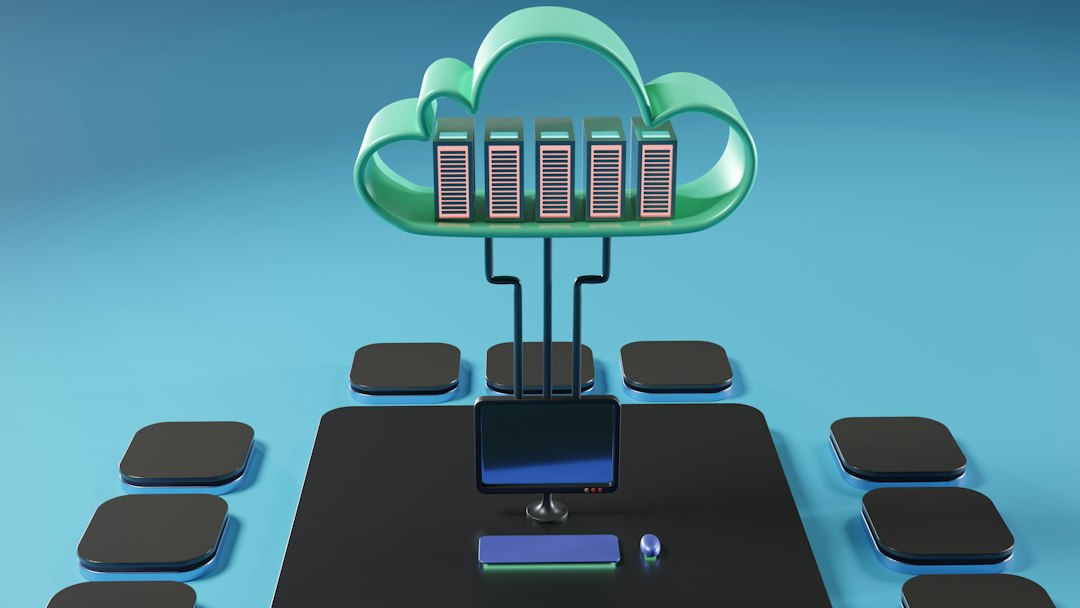
“Application-aware” does not always mean a classic Layer 7 load balancer. It can also mean a gateway, service mesh, ingress controller, edge proxy, or traffic management platform that understands service health and application behavior.
Examples include:
- API gateways that handle authentication, quotas, schema validation, and developer access.
- Service meshes that manage service-to-service traffic, retries, mTLS, and circuit breaking.
- Kubernetes ingress controllers that route external traffic into cluster services.
- Global traffic managers that route users across regions based on latency or availability.
These tools solve problems that L4 load balancers were never designed to solve. They can detect that a service is returning 500 errors even though its TCP port is open. They can retry failed requests. They can shift 5% of traffic to a new version for a canary release. They can send paid customers to a premium backend pool.
But complexity rises fast. Expect to waste time on unclear routing behavior if ownership is messy. A service mesh, for example, can add sidecars, certificates, policy objects, and tracing systems. That may be worth it for 200 services. It may be overkill for three web servers and a database.
Health checks: simple port checks versus real app checks
Layer 4 health checks usually ask a basic question: Is this port reachable? That is useful, but limited. A server can accept TCP connections while the application is broken, stuck, or returning errors.
Layer 7 health checks can ask better questions: Does /health return 200? Can the app connect to its database? Is the service overloaded? This gives the balancer a more accurate view of readiness.
A practical setup often uses both. L4 removes dead connection targets fast. L7 checks deeper service health before sending valuable user traffic. For example, an online store might use L4 for fast edge distribution, then L7 checks to keep traffic away from checkout nodes with error rates above 2%.
Security differences
Layer 4 can block or allow traffic based on IPs, ports, and protocols. It can absorb some floods and spread connection load. It is useful for network-level protection.
Layer 7 can inspect what users are actually asking for. It can block malicious payloads, enforce rate limits per user, detect bad bots, and reject strange HTTP methods. If you need WAF rules, JWT validation, header checks, or request size limits, L7 or an app-aware gateway is the better fit.
Choosing the right model
Pick Layer 4 when you need performance, protocol flexibility, and simple connection distribution. It is especially strong when the application already handles encryption, sessions, and routing on its own.
Pick Layer 7 when routing depends on application details. If you care about paths, headers, cookies, tenants, user identity, API versions, or content inspection, L4 alone will feel too blunt.
Pick an application-aware alternative when traffic rules are tied to service behavior, deployments, security policy, or per-client controls. API gateways and service meshes are not just load balancers. They are control systems for application traffic.
A balanced architecture often uses layers together. L4 handles fast entry into the platform. L7 handles web and API decisions. Gateways or meshes handle service-specific policy. That split keeps the edge efficient while giving engineers enough control where the application actually needs it.
The best choice is the one that removes failure, not the one with the longest feature list. If all you need is to spread TCP sessions across healthy servers, L4 is clean and efficient. If traffic decisions require application context, use L7 or a purpose-built app-aware layer. Anything else is just extra machinery waiting to break at 2 a.m.