

For service-based companies, a website is no longer just a digital brochure. It is a scheduling desk, sales assistant, customer service channel, and revenue engine. WordPress calendar and appointment plugins help businesses turn web traffic into confirmed bookings, paid reservations, consultations, classes, events, and repeat visits.
TLDR: WordPress calendar and appointment plugins support business growth by reducing manual scheduling, improving customer convenience, and increasing conversion rates. The best solutions combine real-time availability, automated reminders, payment options, staff management, and reporting. A business that chooses the right plugin can save time, reduce no-shows, and create a smoother path from visitor interest to booked appointment.
Table of Contents
Why Scheduling Plugins Matter for Growth
Many businesses lose leads because booking requires too many steps. A potential customer may need to call, wait for a reply, exchange several emails, or ask about available times. Every extra step creates friction. A modern appointment plugin removes that friction by allowing customers to choose a service, select a time, enter details, and confirm instantly.
This convenience affects revenue directly. When booking is available 24/7, a salon, clinic, consultant, fitness studio, tutor, photographer, or repair company can accept appointments even outside office hours. The website becomes an active sales channel rather than a passive information page.

Key Features That Support Business Growth
Not every calendar plugin is designed for the same purpose. Some are simple event calendars, while others handle complex appointment workflows. Growth-focused businesses usually benefit from tools that include the following features:
- Real-time availability: Customers should only see open time slots, which reduces scheduling conflicts.
- Automated confirmations: Email or SMS confirmations reassure customers that the booking is complete.
- Reminder notifications: Timely reminders help reduce missed appointments and lost revenue.
- Online payments: Deposits, full payments, and cancellation fees can improve cash flow and commitment.
- Staff and location management: Multi-person teams can assign bookings based on availability, role, or location.
- Calendar syncing: Integration with Google Calendar, Outlook, or Apple Calendar helps staff stay organized.
- Reporting and analytics: Booking data reveals peak times, popular services, and revenue trends.
Appointment Plugins vs. Event Calendar Plugins
A business should understand the difference between appointment booking and event calendar functionality. Appointment plugins are built for one-to-one or small group bookings, such as consultations, treatments, calls, or service visits. They focus on availability, customer details, staff schedules, and confirmation workflows.
Event calendar plugins are better for publishing workshops, webinars, conferences, classes, community activities, or ticketed events. They highlight dates, descriptions, venues, speakers, and registration details. Some businesses need both types of functionality, especially if they offer private services and public events.
For example, a wellness studio may use an appointment plugin for massage bookings and an event calendar for yoga workshops. A consulting firm may use appointment booking for discovery calls and an event calendar for monthly webinars.
Popular Plugin Capabilities to Compare
When evaluating WordPress calendar and appointment plugins, business owners and web managers should look beyond the appearance of the booking form. A clean interface matters, but scalability matters more. The plugin should support the way the business operates today and the way it plans to grow.
Important comparison points include the number of staff accounts, support for multiple services, payment gateway options, booking form customization, time zone handling, recurring appointments, cancellation policies, and integrations with customer relationship management tools. A plugin that works well for a solo consultant may not be enough for a chain of clinics or a multi-location training company.
Ease of administration is also critical. If staff members struggle to update schedules, block time off, or manage rescheduling, the tool may create new problems instead of solving old ones.
How Booking Plugins Improve Customer Experience
Customers expect fast digital interactions. A professional booking system provides clarity and control. It shows available times, service descriptions, prices, staff options, and cancellation rules in one place. This helps customers make confident decisions without needing to contact the business for basic information.
A well-designed appointment process can also reduce anxiety. Confirmation messages, calendar invites, and reminders tell customers what to expect and when to arrive. For industries such as healthcare, personal care, coaching, legal services, and home repair, that clarity builds trust before the first appointment even begins.

Using Payments to Increase Commitment
Online payment features can transform the economics of appointment-based businesses. Deposits reduce no-shows because customers have already made a financial commitment. Full prepayment works well for classes, consultations, rentals, and limited-capacity services. Cancellation fees can protect staff time when policies are clearly explained during booking.
Payment integrations with services such as Stripe, PayPal, or WooCommerce can also simplify accounting and sales tracking. Rather than handling payment after every appointment, a business can automate part of the transaction and focus more attention on service delivery.
Automation Saves Administrative Time
Manual scheduling often consumes hours each week. Staff may answer calls, reply to emails, check calendars, send reminders, and manage changes. A booking plugin automates much of this process. The result is lower administrative workload and fewer human errors.
Automation also helps small businesses appear more professional. Even a one-person operation can provide instant confirmations, polished reminders, intake forms, and rescheduling links. This creates a level of service that customers often associate with larger, more established companies.
Data and Reporting for Smarter Decisions
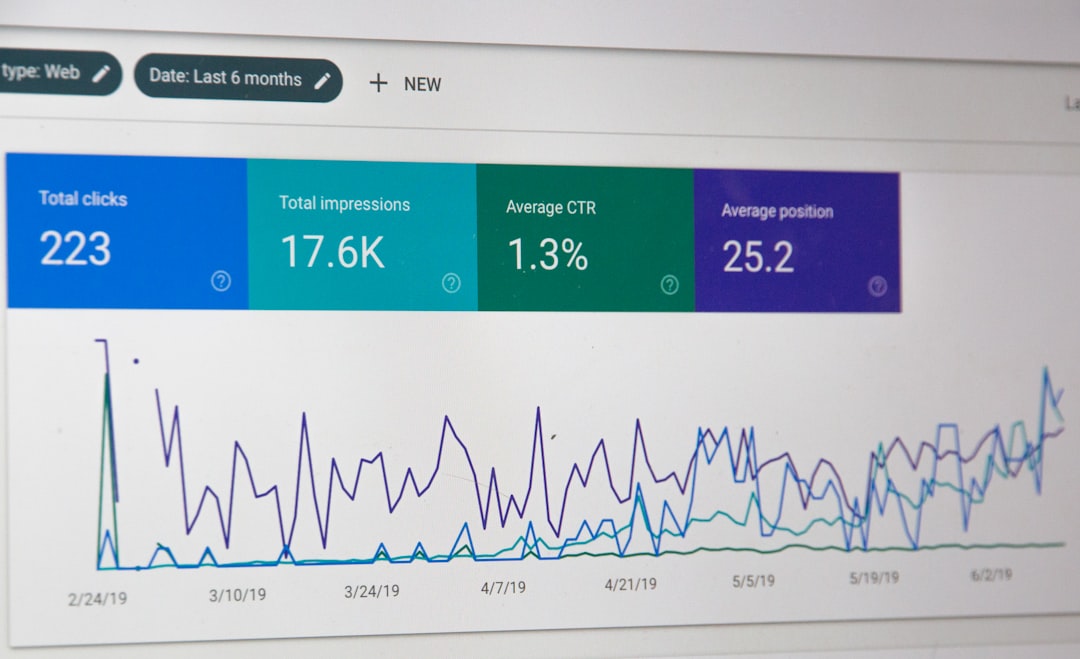
Growth requires insight. Booking plugins can reveal which services are most requested, which time slots fill fastest, which staff members have the highest demand, and which promotions generate appointments. This data can influence staffing, pricing, marketing, and service development.
For example, if reports show that evening appointments fill quickly, a business may extend hours or add staff during that period. If a new service receives few bookings, the company may revise its offer, update the service description, or promote it more clearly on the website.
Best Practices for Implementation
To get the best return from a WordPress booking system, a business should approach implementation strategically. The booking flow should be simple, but the setup behind it should be thoughtful.
- Define services clearly: Each service should include a name, duration, price, and helpful description.
- Set accurate availability: Staff schedules, holidays, breaks, and buffer times should be configured before launch.
- Use strong calls to action: Buttons such as “Book an Appointment” or “Reserve a Consultation” should be visible on key pages.
- Test the full journey: The business should test booking, payment, confirmation, reminders, rescheduling, and cancellation.
- Monitor results: Booking data should be reviewed regularly to identify conversion opportunities.
Choosing the Right Plugin
The right plugin depends on the business model. A solo coach may need a lightweight appointment scheduler with calendar syncing and payment deposits. A medical office may need intake forms, staff schedules, privacy-conscious workflows, and strict cancellation policies. A training company may need event registration, capacity limits, recurring sessions, and attendee management.
Commonly selected WordPress booking and calendar solutions include tools such as Amelia, Bookly, Simply Schedule Appointments, LatePoint, The Events Calendar, and Modern Events Calendar. Each has different strengths, pricing structures, and integration options. The best choice is the one that matches operational needs, not simply the one with the longest feature list.
Conclusion
WordPress calendar and appointment plugins can play a major role in business growth. They reduce friction, capture bookings at any hour, automate repetitive tasks, and help customers feel confident. When combined with clear service pages, strong calls to action, smooth payments, and reliable reminders, these tools turn a WordPress website into a practical growth platform.
FAQ
What is the main difference between a calendar plugin and an appointment plugin?
A calendar plugin usually displays events, dates, and schedules, while an appointment plugin allows customers to book specific services, staff members, and time slots.
Can a WordPress booking plugin reduce no-shows?
Yes. Automated reminders, deposits, confirmations, and clear cancellation policies can significantly reduce missed appointments.
Should a business accept payments during booking?
For many service businesses, accepting deposits or full payments during booking improves customer commitment and cash flow.
Are appointment plugins suitable for multi-location businesses?
Many advanced booking plugins support multiple staff members, services, and locations, making them suitable for growing teams and regional operations.
How can a business choose the best plugin?
The business should compare features, integrations, ease of use, support quality, scalability, and pricing against its actual booking workflow.